# May 19, 2023
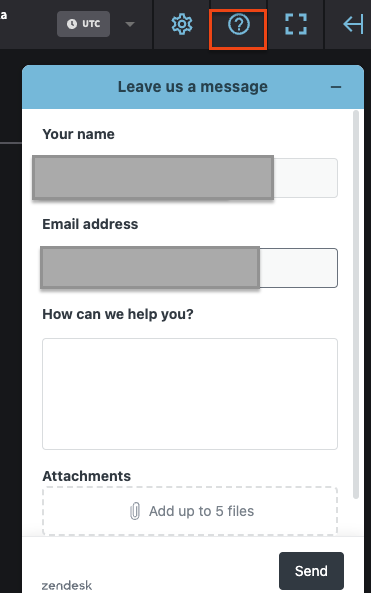
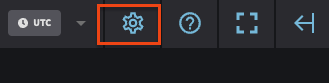
The Netography Fusion portal can now authenticate using AWS ARN roles. The option to submit support requests are also available. The settings icon has also moved to it's own top level navigation.
## Highlights
### Portal
For more details on AWS ARN authentication, refer to the relevant AWS configurations in flow sources below:
* [AWS VPC flow logs via S3 (AWS CloudFormation setup method - recommended)](https://docs.netography.com/netography-docs/v1.0.2/docs/aws-vpc-flow-logs-via-s3-aws-cloudformation-setup-method-recommended#aws-iam-roles)
* [AWS VPC flow logs via S3 (AWS Console setup method)](https://docs.netography.com/netography-docs/v1.0.2/docs/aws-vpc-flow-logs-via-s3-aws-console-setup-method#aws-iam-roles)
* [AWS VPC flow logs via Kinesis](https://docs.netography.com/netography-docs/v1.0.2/docs/aws-vpc-flow-logs-via-kinesis#aws-iam-roles)
To submit support requests, you can click the question mark icon on the top right of the portal as shown below:
The settings icon is also next to the support icon as shown below:
## Enhancements
### Portal
* Added Global Filters to all pages with active options
* Simplified user ability to transition between sub-accounts
* When new dashboards are created, the Portal will navigate to it immediately
* Print dashboards are now in landscape format by default
## Other bug fixes and improvements
### Portal
* Cursor should no longer jump while creating NQL in the Search Dashboard
* Dropdowns should automatically remove items from the list if they are selected
* The Properties tray is no longer limited to just the labels portion
* `pbratio` should now display corecctly in flow records table view
* Sankey Chart should no longer revert back to IP instead of using Labels
* Markdown widget editing should no longer crash the portal
---
# Agent Instructions: Querying This Documentation
If you need additional information that is not directly available in this page, you can query the documentation dynamically by asking a question.
Perform an HTTP GET request on the current page URL with the `ask` query parameter:
```
GET https://docs.fusion.vectra.ai/release-notes/2023/may-19-2023.md?ask=
```
The question should be specific, self-contained, and written in natural language.
The response will contain a direct answer to the question and relevant excerpts and sources from the documentation.
Use this mechanism when the answer is not explicitly present in the current page, you need clarification or additional context, or you want to retrieve related documentation sections.