# May 2, 2023
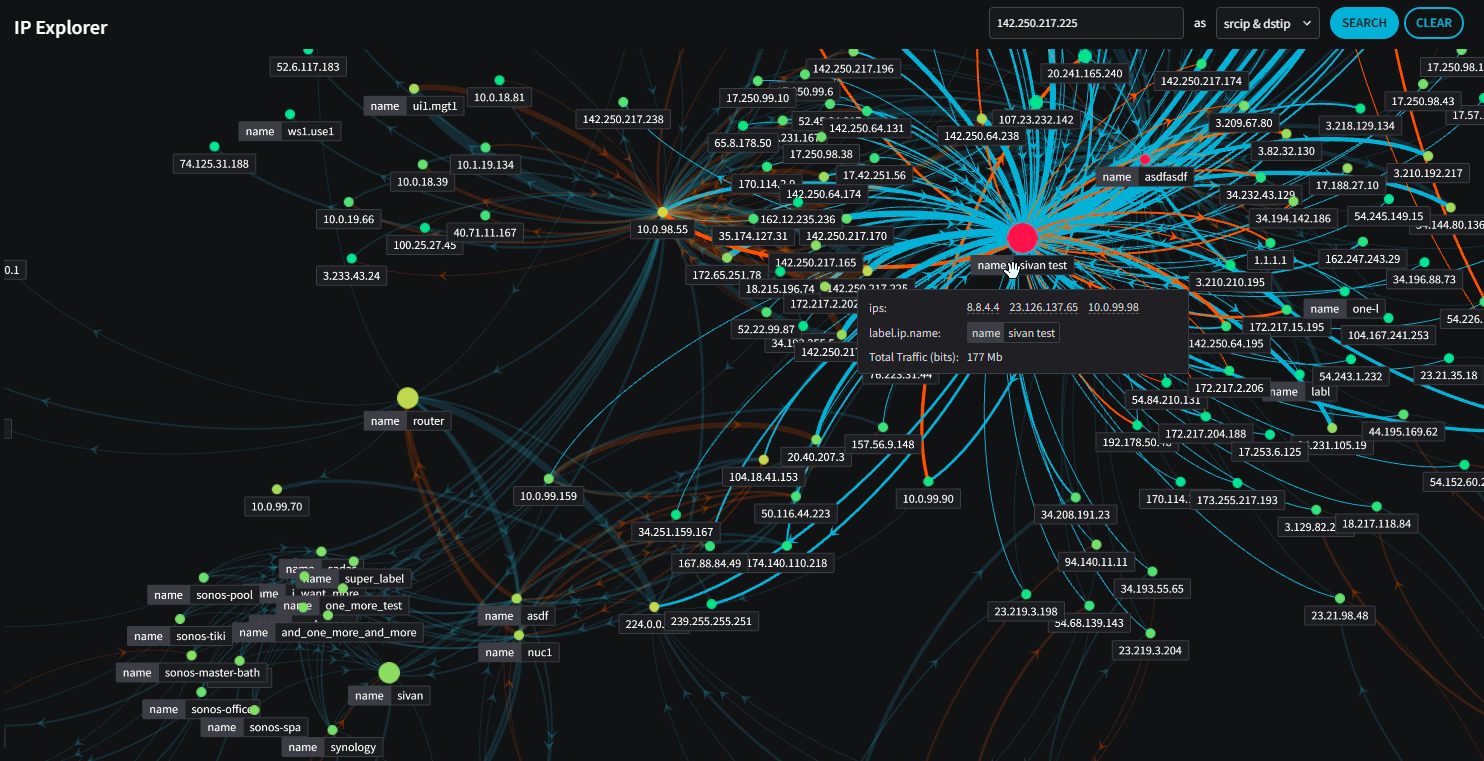
The Netography Fusion portal has an enhanced IP Explorer that shows label ↔︎ label traffic in addition to ip ↔︎ ip traffic, additional value widget visibility such as country flag backgrounds, added NQL filtering options, and many more changes listed below.
Our new product documentation site is now live. For more information, check out: .
## Highlights
### Portal
* IP Explorer now shows label ↔︎ label traffic in addition to ip ↔︎ ip traffic:
* Forms have been updated to better handle viewing and copying values when a user does not have edit permission.
* Widgets can now inherit the metric that is set in the Global Filters.
* If a value widget is only showing a geographic country, the country flag can now be shown in the background
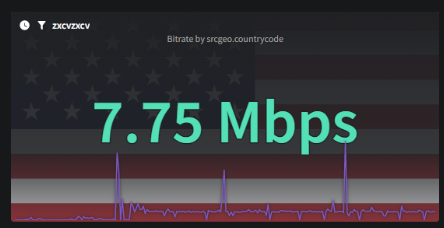
> #### 📘The country flag only appears for value widgets and gauges.
* Added a quick ability to set the “start” date of queries to “max retention”. e.g. “show all data” without having to choose a date:

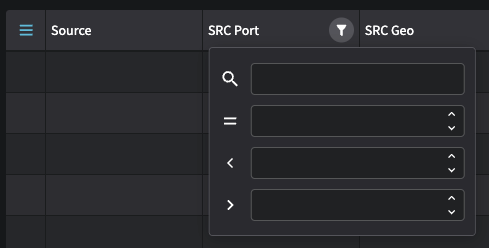
* New Table UX with additional search/filtering capabilities:
* SSO Settings have now been moved to their own page.
* Private Network Classifications are now enabled by default when creating new customers.
## Enhancements
### Portal
* Added View-only mode for forms (readonly roles, etc)
* Widgets: Can now inherit the metric from the Global Filters
* Added Labels to IP Intel page
* IP Explorer: Ability to show links between labels (instead of IPs)
* Value widget: Can now show country flag
* Dashboards: Remove favorites column dropdown filter (all tabs) in Managed Dashboards
* Quick ability to set the query date range to `max`
* Updated the toggle color for the 2 option toggle
* Upgraded Table UI/Filtering
* Separated SSO settings to it's own page
* UI: Added `` tags to NQL keys in descriptions
* Propagated new "Source and Destination" columns
* Network Classifications: Removed 'clear' button
* Added date fields as available columns in the Detection Models table
### API
* New API reference available alongside our product documentation. See [API Reference for more information.](https://docs.netography.com/netography-docs/reference)
* Enabled "Private Network Classification" by default.
## Other bug fixes and improvements
### Portal
* Forms: Erroring too quickly on user input
* IP Intellegence: Removed warning for IPv6 addresses
* Sliders: Default value now moved on the left
* Add/Edit Flow Tag page wording error
* not updated when selecting tabs on My Profile and Account Settings
* Bar Charts: not showing y-axis values
* Labels failing to load if an IPv6 label exists
* Realtime button should allow click on the entire box, not just the icon, similar to fullscreen and drawer buttons
* Inadvertent leakage of the term "catarithm"
* Change “Error login to another customer” to “Error logging in to customer”
---
# Agent Instructions: Querying This Documentation
If you need additional information that is not directly available in this page, you can query the documentation dynamically by asking a question.
Perform an HTTP GET request on the current page URL with the `ask` query parameter:
```
GET https://docs.fusion.vectra.ai/release-notes/2023/may-2-2023.md?ask=
```
The question should be specific, self-contained, and written in natural language.
The response will contain a direct answer to the question and relevant excerpts and sources from the documentation.
Use this mechanism when the answer is not explicitly present in the current page, you need clarification or additional context, or you want to retrieve related documentation sections.