# July 26, 2024
This release adds additonal functionality when performing NQL searches again flow and traffic types.
## Detect and Respond > Detection Models
### Add Model > TRAFFIC MATCH
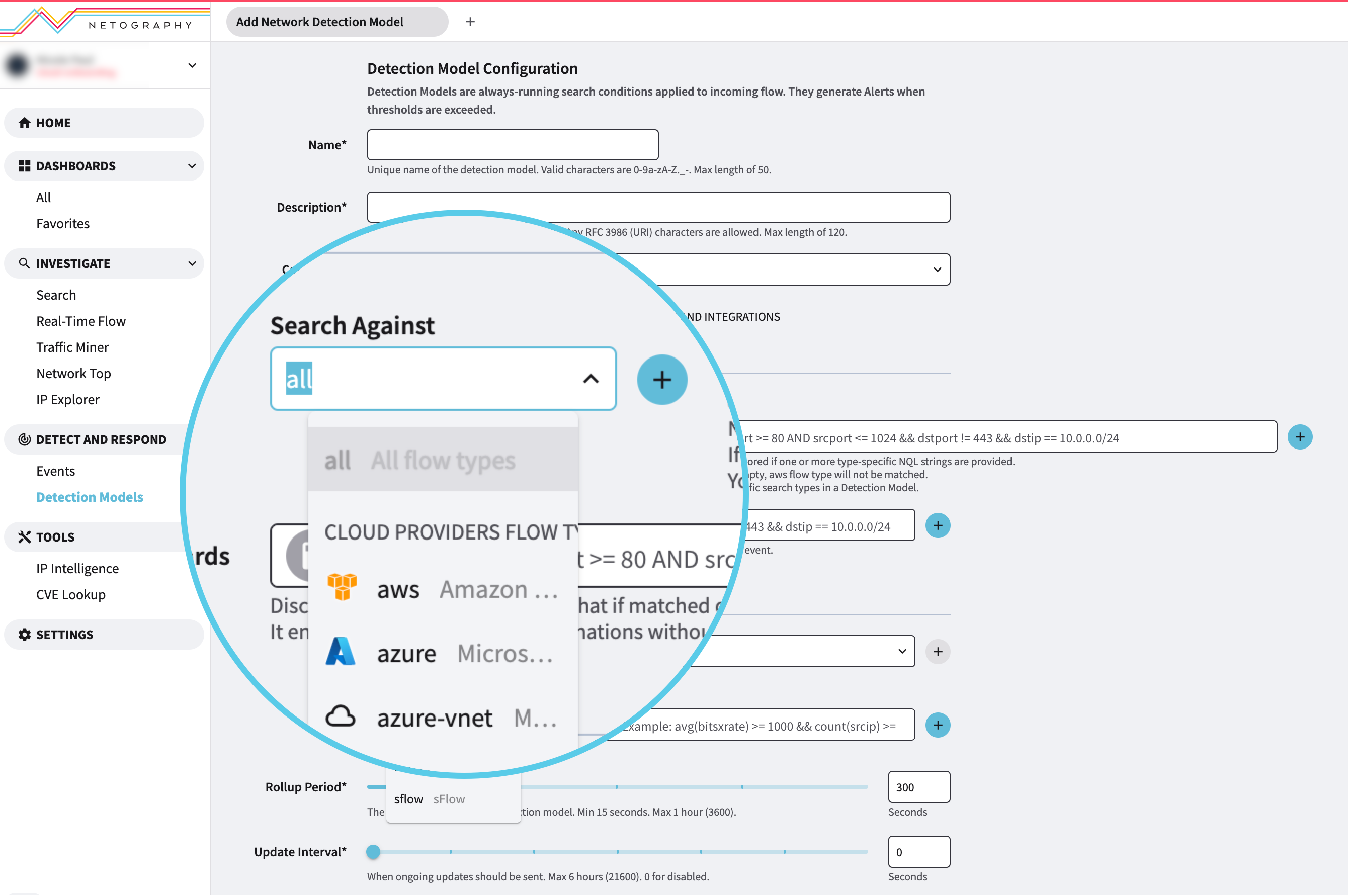
When creating a new **Context** or **Network** Detection Model, you can you can now perform NQL searches against ALL flow or traffic types.
1. From the main menu, navigate to the **Detect and Respond** section > **Detection Models**.
2. Click the down arrow on the **Add Model** button.
3. Select the type of detection model you want to add: **Context** or **Network**.
In the **Traffic Match** section, you know have the ability to choose all in the **Search Against** field.
---
# Agent Instructions: Querying This Documentation
If you need additional information that is not directly available in this page, you can query the documentation dynamically by asking a question.
Perform an HTTP GET request on the current page URL with the `ask` query parameter:
```
GET https://docs.fusion.vectra.ai/release-notes/2024/july-26-2024.md?ask=
```
The question should be specific, self-contained, and written in natural language.
The response will contain a direct answer to the question and relevant excerpts and sources from the documentation.
Use this mechanism when the answer is not explicitly present in the current page, you need clarification or additional context, or you want to retrieve related documentation sections.